AVault Icon
ROOTLESS TELEPHONY ENGINE · ANDROID 12 THROUGH 16+

Hardware-Encrypted Calls.
Zero Root Required.

The open-source, high-assurance call recording system for modern Android. Powered by Shizuku ADB architecture with AES-256-GCM hardware keystore isolation, biometric security, and zero-plaintext volatile memory playback.

🛡️ AES-256-GCM Keystore HSM ⚡ Shizuku ADB Bridge 🔒 Zero Plaintext on Disk ⚖️ 100% Free & Open Source (MIT)
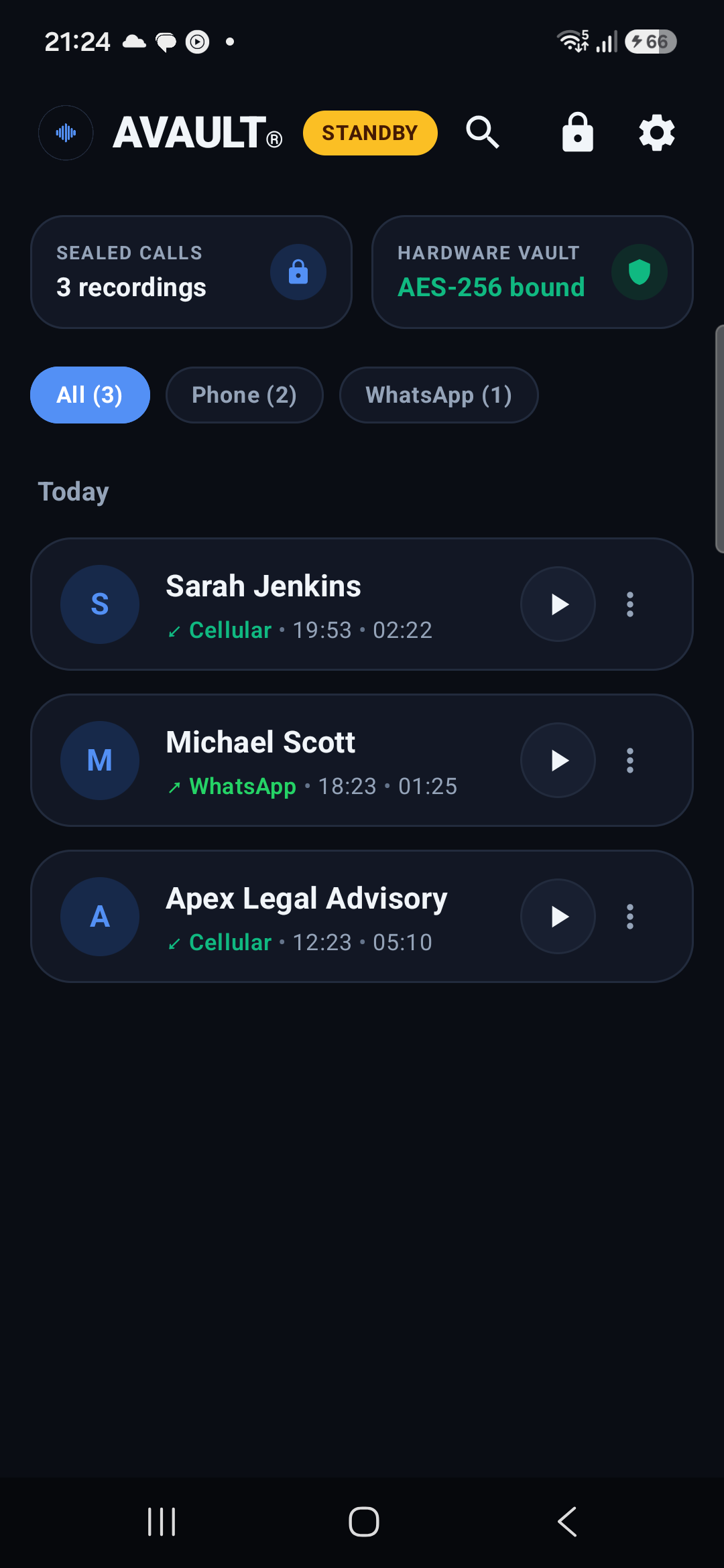
AVault Streamlined Dashboard on Android 16

Streamlined Dashboard

Direct call logs, telemetry strip, filter chips
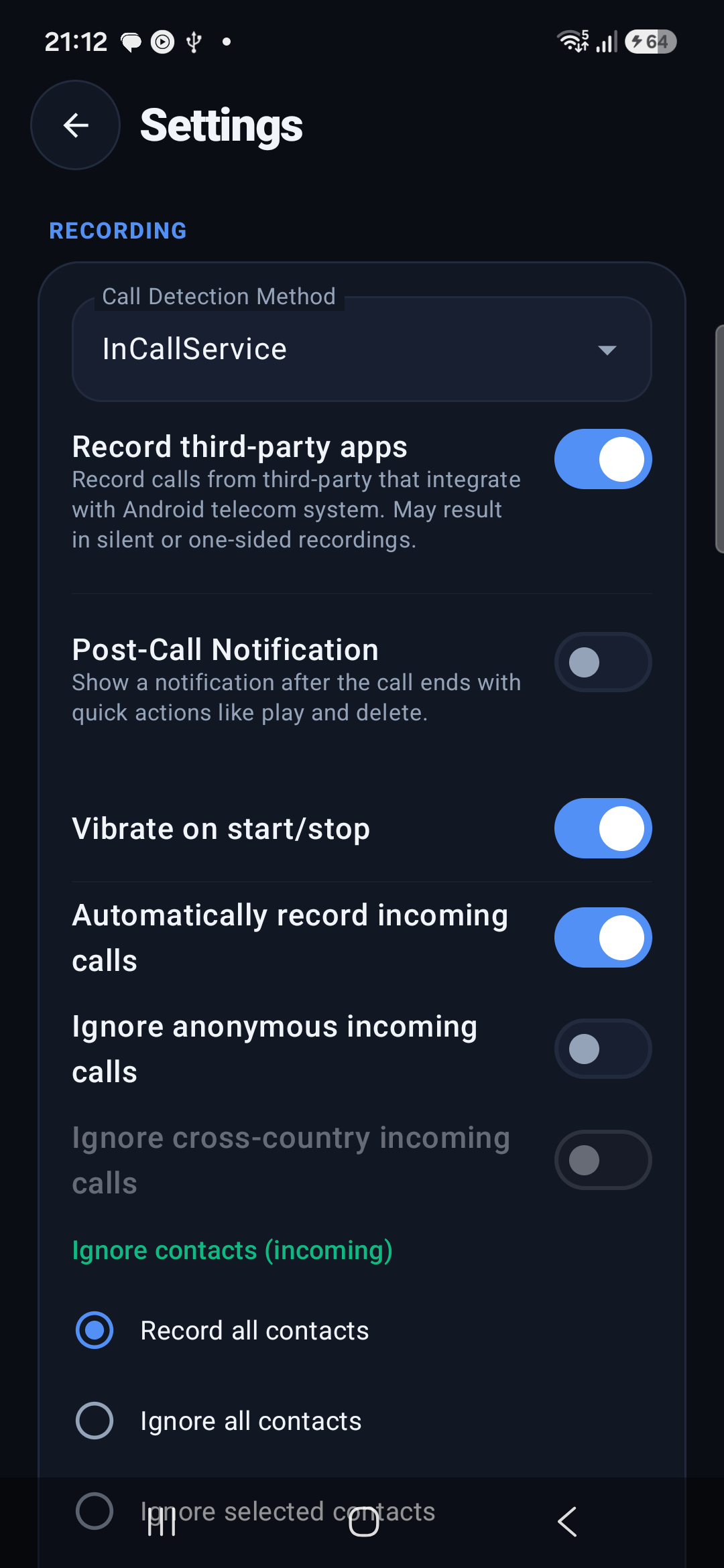
AVault Flowing Settings & Controls

Flowing Modular Settings

Hardware switches & styled dropdown popups
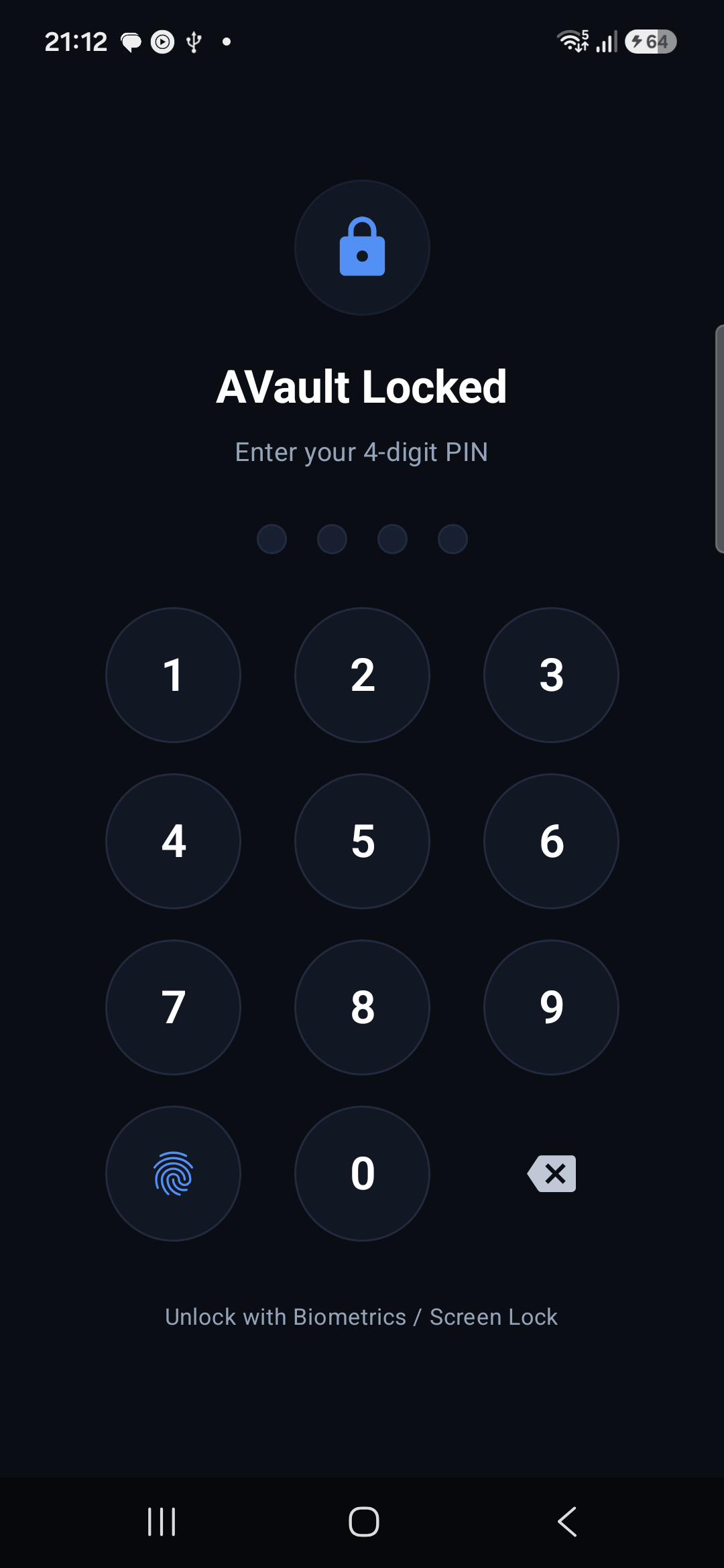
AVault Hardware-Backed Biometric Lock

Keystore & Biometric Lock

PIN keypad & fingerprint authentication

01 / LIVE APPLICATION INTERFACE

Engineered for Clarity and Operational Focus

No promotional banners, no hovering navigation docks. Immediate access to your sealed recordings with essential metrics above the fold.

Compact Overview Strip

Real-time status indicators in a 44dp overview row: Sealed Call counts and Hardware Keymaster encryption binding status without obscuring your call logs.

Height: 44dp Non-Intrusive

Multi-Source Filter Chips

Filter between standard Cellular calls and third-party VoIP services (WhatsApp, Telegram) with one tap. Contact initials and duration meters provide instant context.

Cellular & VoIP Instant Filter

Biometric & PIN Lock

Enforces strict access control via Android BiometricPrompt and 4-digit Master PIN. Windows are protected against screenshots and recent apps snooping via FLAG_SECURE.

Biometrics + PIN FLAG_SECURE
02 / CRYPTOGRAPHIC SECURITY ARCHITECTURE

High-Assurance Security Architecture

Commercial recording apps write plaintext audio to shared storage. AVault seals every byte inside hardware-backed cryptographic containers.

Cryptographic Lifecycle Flow
Layer 01
Telephony State
InCallService + Shizuku
→
Layer 02
Hardware HSM
AndroidKeyStore StrongBox
→
Layer 03
AES-256-GCM Stream
96-bit IV · 128-bit Tag
→
Layer 04
Sealed Container
.vault File (0600 POSIX)

Hardware Keymaster Isolation (StrongBox)

Master cryptographic keys are generated directly inside your Android processor's Hardware Security Module (TEE or StrongBox Keymaster). Keys are non-exportable and can never be extracted by malware, ad networks, or physical flash memory dumps.

Provider: AndroidKeyStore AES/GCM/NoPadding

Zero-Plaintext Ephemeral Playback

Audio is decrypted dynamically in-memory chunk-by-chunk inside an encrypted memory pipe. No temporary MP3 or WAV files ever touch disk storage. Buffers are cryptographically shredded with zero byte residue upon playback completion.

Zero Disk Cache Wiped Memory Buffers

Automated Retention Lifecycle

Configure automated lifecycle workers (from 24 hours to 365 days) that automatically purge expired call recordings in the background, preventing storage exhaustion.

WorkManager Worker Auto Background Purge

Star Bookmark Deletion Exemption

Important conversations marked with the Bookmark Star are cryptographically exempt from automated lifecycle deletion, ensuring legal or critical evidence is preserved indefinitely until explicitly purged.

Permanent Protection Cryptographic Exemption
03 / THREAT MODEL COMPARISON MATRIX

How AVault Compares to Alternatives

A factual architectural comparison against standard app store recorders and risky root modifications.

Security & Architecture Vector AVAULT® (v2.0.0) Standard Play Store Recorders Magisk / KernelSU Root Hacks
Root / Unlocked Bootloader Required ✓ No (Rootless Shizuku) No ✕ Yes (Breaks Knox & SafetyNet)
On-Disk Storage Format ✓ AES-256-GCM (.vault) ✕ Plaintext MP3 / M4A ✕ Plaintext Audio
Keymaster Hardware HSM Isolation ✓ Hardware TEE / StrongBox ✕ None (Zero Encryption) ✕ None
RAM Decryption Leakage ✓ Volatile Ephemeral Shredding ✕ Temp File on Disk ✕ Exposed in Shared Storage
Gallery / MediaStore Scraping Protection ✓ .nomedia & Sandboxed 0600 ✕ Exposed to All Apps ✕ Leaked to File Managers
Window Masking (FLAG_SECURE) ✓ System Level Protection ✕ Exposed in Recents ✕ Exposed in Recents
Auto-Retention with Bookmark Star Exemption ✓ Automated Engine ✕ Manual Deletion Only ✕ Manual File Cleanup
04 / SYSTEM SPECIFICATIONS & COMPATIBILITY

Technical Specifications

Built to run reliably across standard consumer and enterprise Android hardware without vendor locks.

Android OS
12 – 16+
API Level 31 through 36
CPU Architectures
ARM64 & x86_64
Universal 64-bit binaries
Cipher Primitive
AES-256-GCM
128-bit authentication tag
Privilege Bridge
Shizuku ADB
Zero root, zero bootloader unlock
05 / QUICK START GUIDE

Up and Running in 3 Steps

No PC required when pairing directly via Android Wireless Debugging.

01

Download & Install APK

Download the pre-compiled APK directly and tap to install on your Android device.

AVault-v2.0.0-debug.apk 1-Tap Download
02

Pair Wireless Debugging

Open Shizuku, pair once via Wireless Debugging in Developer Options, and tap Start.

adb shell sh /sdcard/Android/data/moe.shizuku.privileged.api/start.sh
03

Authorize & Secure Vault

Launch AVault, tap "Authorize" on the Shizuku prompt, configure your Master PIN or Biometrics.

AES-256 Hardware Bound ✓ Active
⚠️

Academic, Security & Educational Research Notice

AVault is strictly developed for academic, security, and educational research purposes. The developers, contributors, and copyright holders assume no liability or responsibility for how this software is compiled, distributed, or utilized. Please verify and comply with all applicable telecommunications wiretapping and recording consent regulations (including one-party and all-party consent statutes) within your jurisdiction prior to recording any conversations.

06 / VERIFIED RELEASES

Download AVault v2.0.0

Verify cryptographic integrity against official release signatures before installing.

AVault Production Release v2.0.0

Universal Android Package (APK) · Compiled for Android 12 through Android 16+ (API 31–36) · Size: 68.5 MB

SHA-256: 970d98af46ca47d42a1334c949f1c28f37c236951c779e0244f1e57ffadec1bd
One-Tap Download APK v2.0.0 · Direct .apk