Send files in either direction
Scan Glove’s QR code with your Android or iPhone camera. Open the link in your browser to upload or download files.
File sharing setup Glove
Send files over Wi-Fi, reply to eligible Android notifications, and use your coding assistant to test an Android device.
Windows x64 preview · Free and open source
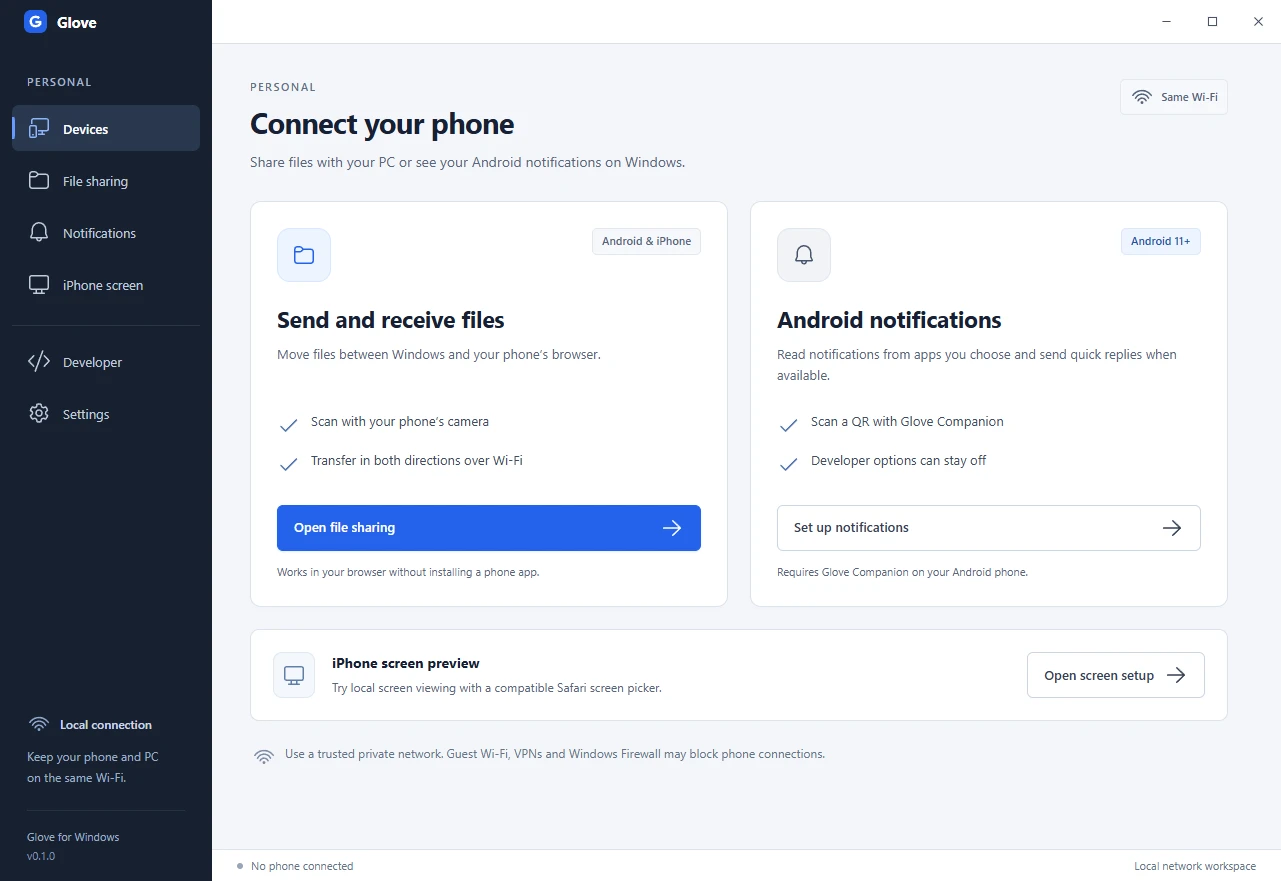
Keep your phone and PC on the same trusted private network.
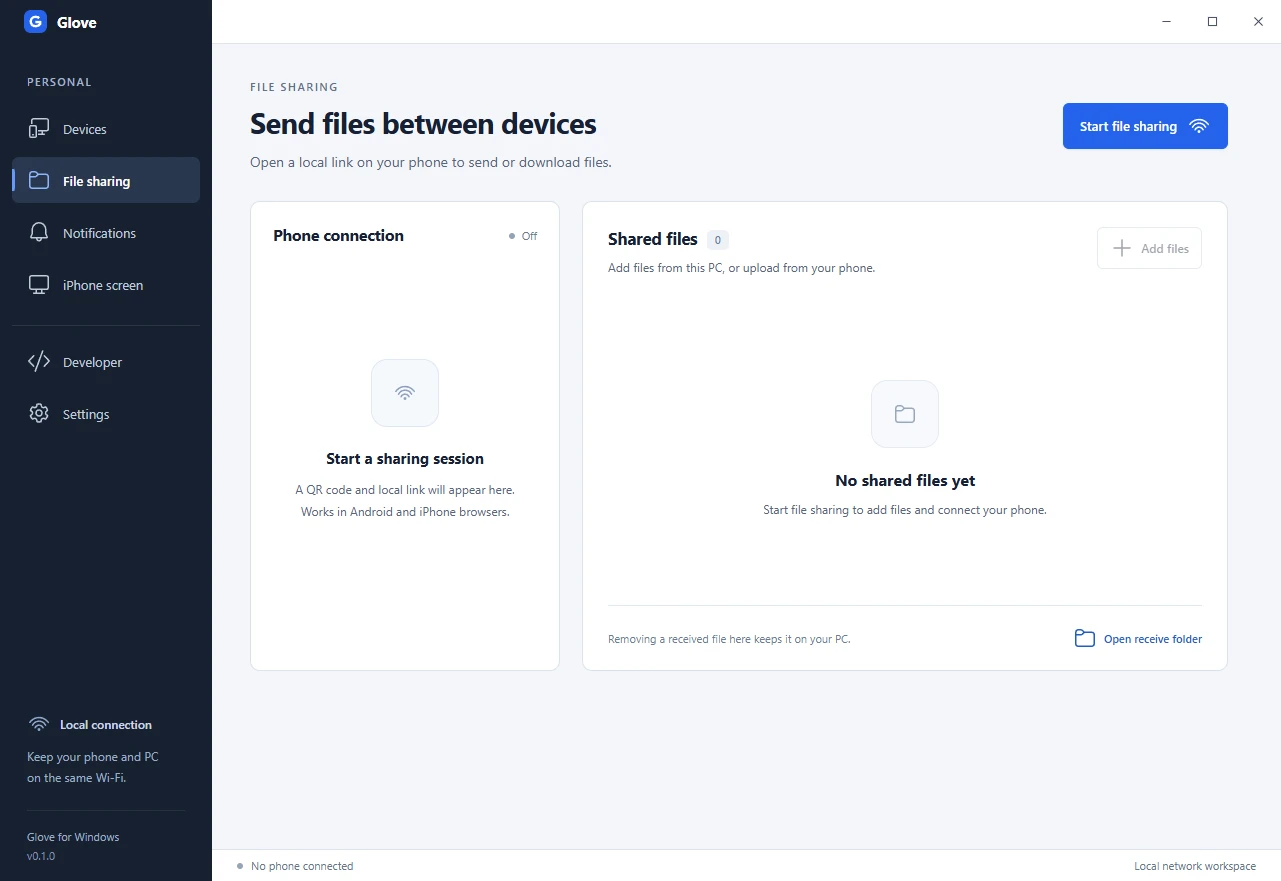
Scan Glove’s QR code with your Android or iPhone camera. Open the link in your browser to upload or download files.
File sharing setupPair Glove Companion, choose which apps to share, and reply from Windows when the notification offers it.
Notification setupThe experimental flow needs a compatible Safari screen picker and a verified local certificate. Physical playback testing is pending.
iPhone preview setupPlay a recording of an Android 16 emulator mirrored with scrcpy, then explore the tests behind the preview.
Select an authorized device in Glove’s Developer workspace. Capture its screen in Codex, Claude Code, VS Code, or another local MCP client.
Enable input for taps, swipes, and Back when a test needs them.
Set up Glove MCP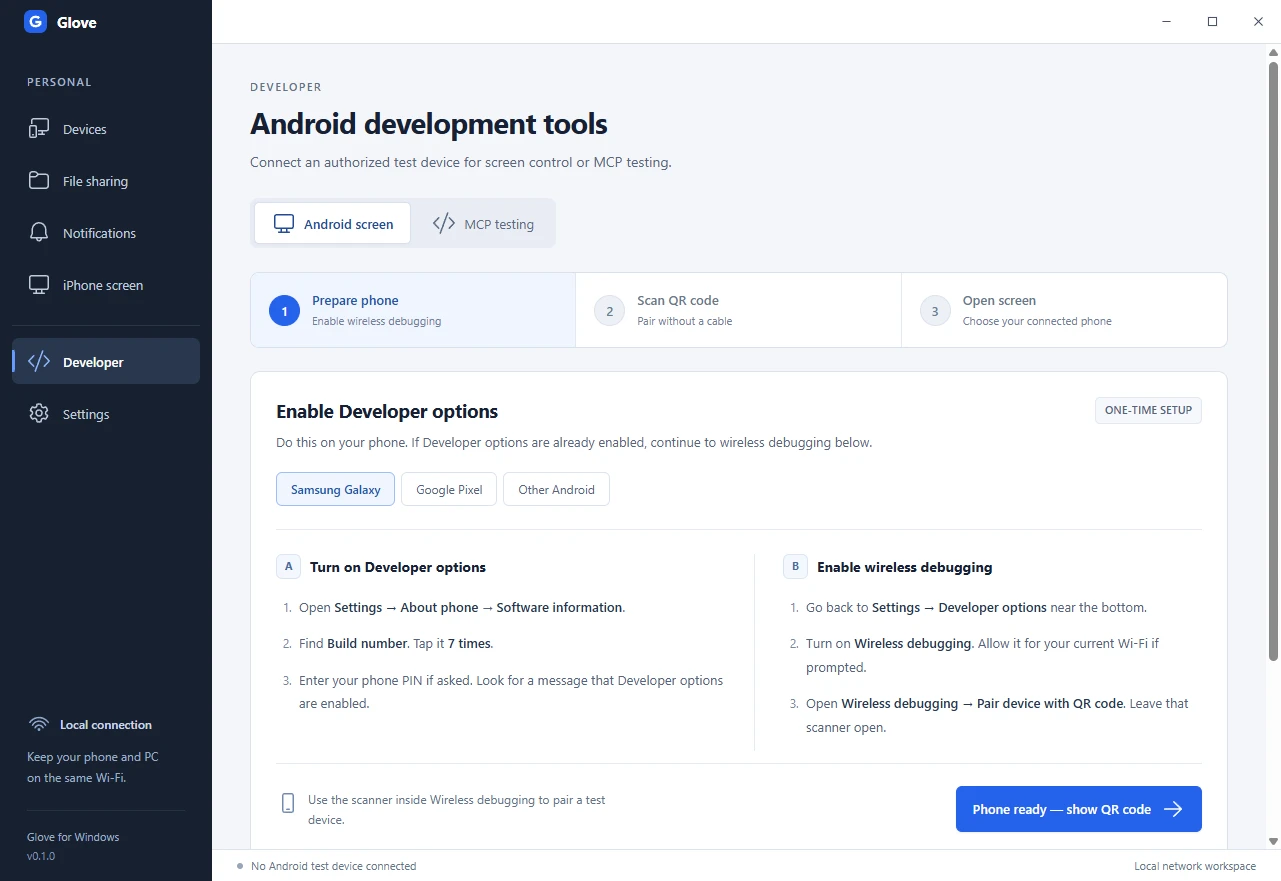
Browser file sharing works with Android and iPhone. Android notifications need Android 11 or newer and Glove Companion. See phone and network requirements.
Enable Wireless debugging for Android mirroring and MCP testing. File sharing and the notification companion use their own QR flows. See Android developer setup.
Glove hosts a temporary HTTP page on the PC. The session link grants access to the files you share. Use private Wi-Fi and stop sharing when you finish. See file sharing details.
Build Glove on Windows x64 with Node.js and Git. Follow the Windows build steps.